

Agent environments
Understand connected agents, compatibility checks, capabilities, and assessment readiness.
An agent environment represents an agent that Invokeable can use for assessments. It records the connection, supported capabilities, operating limits, compatibility result, and lifecycle state.
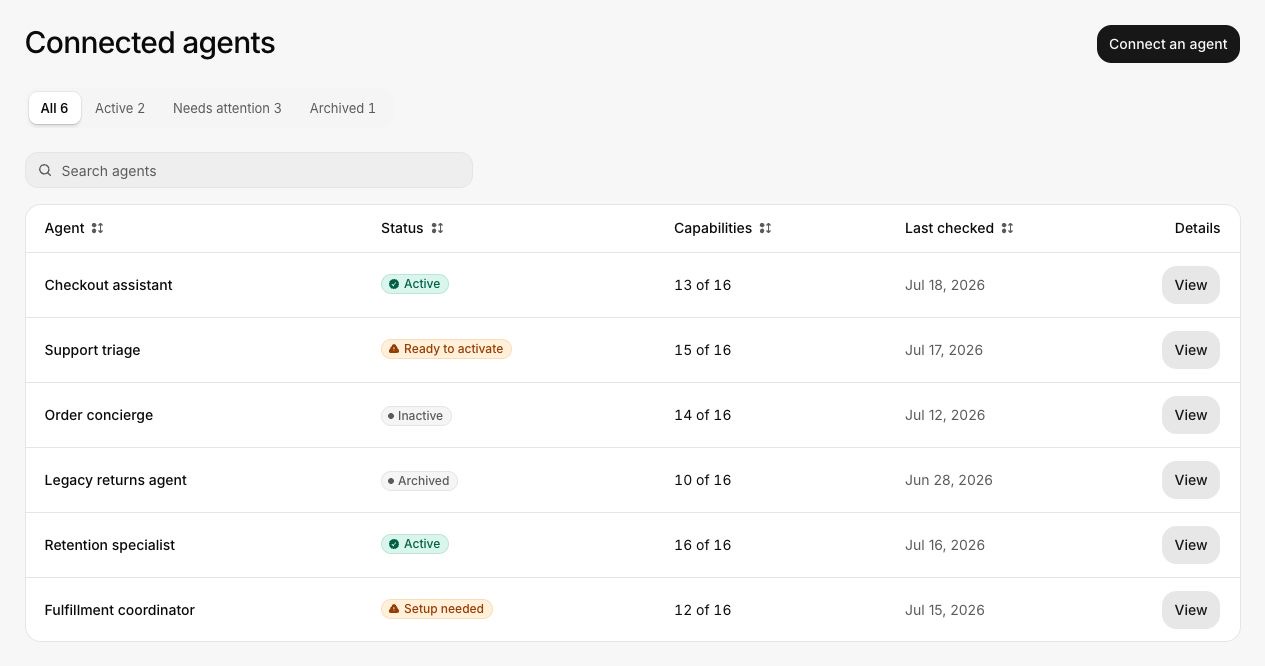
Connected and managed agents
Your workspace can use:
- Invokeable-managed agents provided for assessment coverage
- Customer-hosted agents connected to the workspace
Both types must pass compatibility checks before they can run. A compatibility check confirms the capabilities and limits required by the current product connection and journey.
Agent states
| Product state | Meaning |
|---|---|
| Active | Available for new assessments |
| Ready to activate | Compatibility checks passed, but activation is still required |
| Inactive | Paused or otherwise unavailable for new assessments |
| Archived | Kept for historical results and excluded from new assessments |
Capabilities and limits
An agent may support some features natively and emulate others. Examples include tool calls, parallel tool calls, streaming, cancellation, timeout handling, and normalized error reporting.
The environment also enforces limits such as maximum turns, tool calls, request rate, timeout, and concurrent runs. Journeys must fit within these limits.
Limitations
A limitation names the missing capability and the assessments it affects. The ordinary product view keeps implementation details out of the explanation.
If an agent needs attention, open its details and check whether the limitation affects the journey you plan to run. Some limitations only reduce coverage. Others block the run entirely.
See Connect an agent.