

Connect an agent
Add or activate an agent environment and understand its capabilities, limits, and compatibility state.
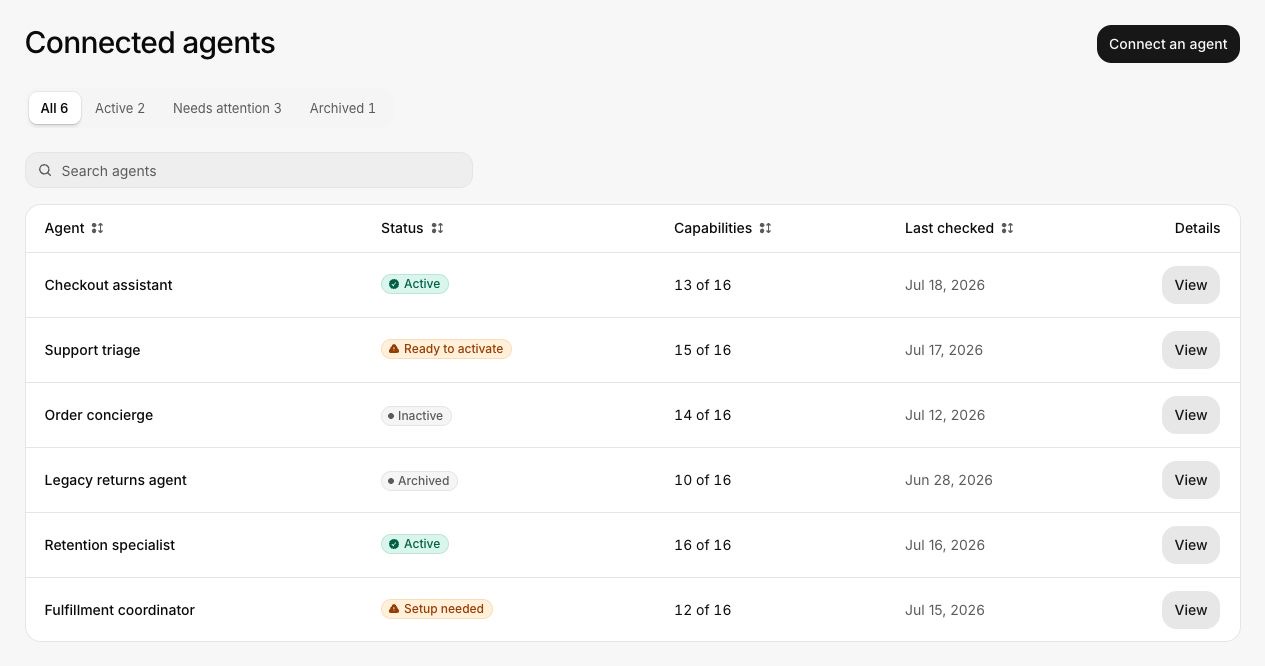
Open Agents to review Invokeable-managed coverage and customer-hosted agents connected to the workspace.
Add or activate coverage
Open Agents
Select Agents in the sidebar. The summary tabs separate active, needs-attention, and archived agents.
Choose the coverage type
Use Invokeable-managed coverage when it matches the agent environment you need to assess. Connect a customer-hosted agent when the workspace owns the runtime and connection.
Complete the connection details
Provide only the information requested by the connection flow. Keep secrets out of names and descriptions.
Run compatibility checks
Invokeable checks the agent's supported capabilities and operating limits. Open the agent detail view if the check reports a limitation.
Activate the agent
An agent marked Ready to activate has passed the compatibility check but is not yet available for runs. Activate it after reviewing its limitations.
Pause, restore, and archive
- Pause an active agent to stop it from receiving new assessments without removing its history.
- Restore a paused agent after its connection and compatibility are valid again.
- Archive an agent that should no longer appear in ordinary selection. Historical runs keep their original agent reference.
When an agent needs attention
Open the details and compare the limitation with the journey requirements. A missing optional capability may reduce coverage. A missing required capability, unsafe limit, failed connection, or incompatible behavior blocks the affected run.
See Agent environments and Create a journey.