

Review the Catalog
Check action access, safety, verification, and readiness before an agent uses the action.
Review the Catalog after initial discovery and whenever a connection changes.
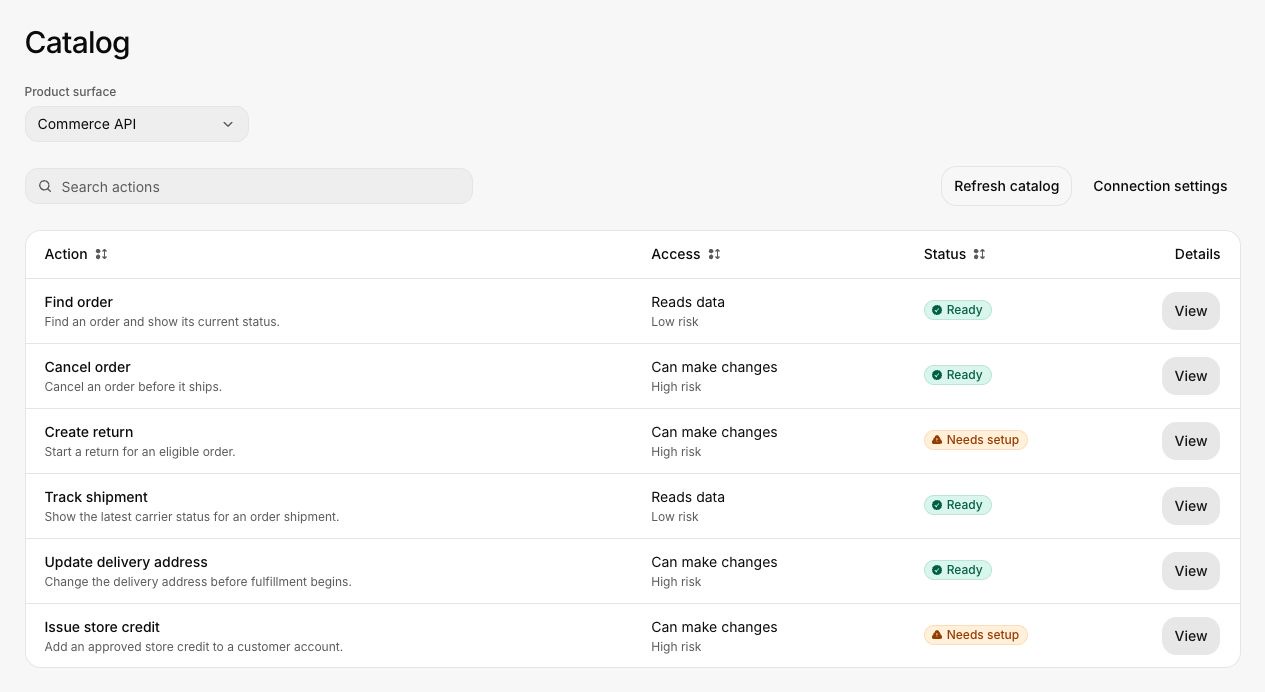
Review one action
Choose the product surface
Use the product-surface selector to limit the list to one customer-facing area.
Find the action
Search by the customer concept or action name. Check whether the row reads data or can make changes, then note its risk and status.
Open details
Select View. Read the purpose and description first. The action should be specific enough that an agent can distinguish it from similar actions.
Check access and safety
Confirm the required permissions, whether customer confirmation is required, what the action may change, and whether mistakes can be reversed.
Check retries and verification
Identify an idempotency key or safe retry rule for state-changing work. Confirm that Invokeable can check the durable product state after execution.
Ready versus needs setup
An action is ready only when the information required for safe testing is complete. Common reasons for Needs setup include:
- Missing confirmation rules
- Missing or weak final-state verification
- An unclear retry policy
- Missing permissions
- An unsafe or unknown environment classification
- Required customer context that has not been supplied
Do not work around the status by creating a journey that avoids the missing field. Fix the action definition or connection at its source.
Changes after refresh
Review added and changed actions before using the refreshed Catalog. Removed actions remain available to historical runs but cannot support new journeys. If a change affects an approved journey, rerun its readiness and coverage checks.
Continue with Connect an agent or Create a journey.