

Run an assessment
Check readiness, start a journey, follow progress, and stop or cancel work safely.
Run a journey only after its test plan, required actions, and selected agent environment are ready.
Open a journey
Go to Journeys. Select Run from the list, or open the journey and choose Run test.
Review what will run
Confirm the test-case count, selected environment, expected checks, and safety limits. Return to the test plan if the scope is wrong.
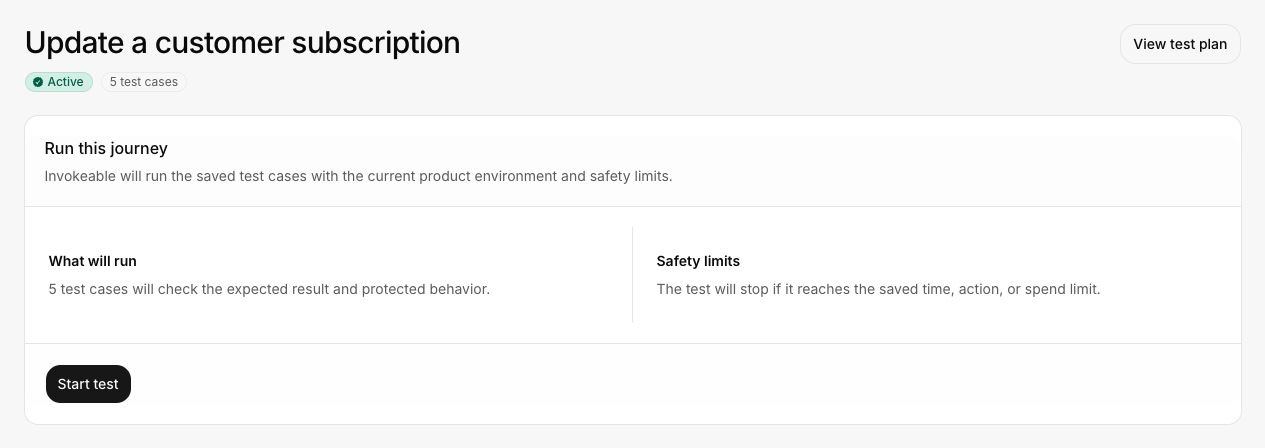
Start the test
Select Start test. Invokeable queues the assessment and records progress for each test case.
Follow progress or leave the page
You can leave the page while the run continues. Open Findings > Test results to return to it.
Wait for verification and cleanup
The run is not complete when the agent sends its final message. Invokeable must verify the product state and confirm any required cleanup.
Review the result
Open the completed test result. Start with the summary, then use Activity to inspect the sequence and limitations.
Cancel or stop a run
- Cancel work that is still queued and has not started.
- Stop active work when continuing would be unsafe or unnecessary.
- Wait for cleanup when the run changed temporary state.
A stop request is not proof that every side effect ended immediately. Check the terminal state and cleanup result.
Common reasons a run cannot start
- The journey is not approved or lacks a runnable test group.
- A required action needs setup.
- No active agent supports the required capabilities.
- The product environment is not authorized for a state-changing test.
- A required verification method is unavailable.
- A workspace limit or concurrent run limit has been reached.
Continue with Review results.